Wednesday, March 14, 2018

UE4 Weapon Projectile Blueprint


     This is my weapon research assignment from game programming class. In this assignment, I created the homing projectiles that follows the box target. Also, I studied Line Trace, Projectile Movement, and Physics.

     Line Trace is the laser pointer that allows players to aim physically in space instead of showing aim point with an image file. Projectile Movement is one of the important elements of the first-person shooting game that allows people to change the characteristic of the weapon (or projectile.) Physics allows people to control the impact of projectiles or change condition of the space.


       In level blueprint, the only thing that I added is to spawn another box target in case the box target is going off the map or is not functional. Collision trigger box is for hidden event.


      This is my projectile that goes to my target box. I added homing target component to make the projectile able to follow the target, Event hit for explosion effects and radial force, projectile bounce for making print string.


     This is my target box and also re-spawn mesh. The only thing that I used in blueprint is set simulate physics and detachfromcomponent to make it destructible.

Wednesday, February 28, 2018

Adventure Game Design - ROBO-001 (no boss fight)


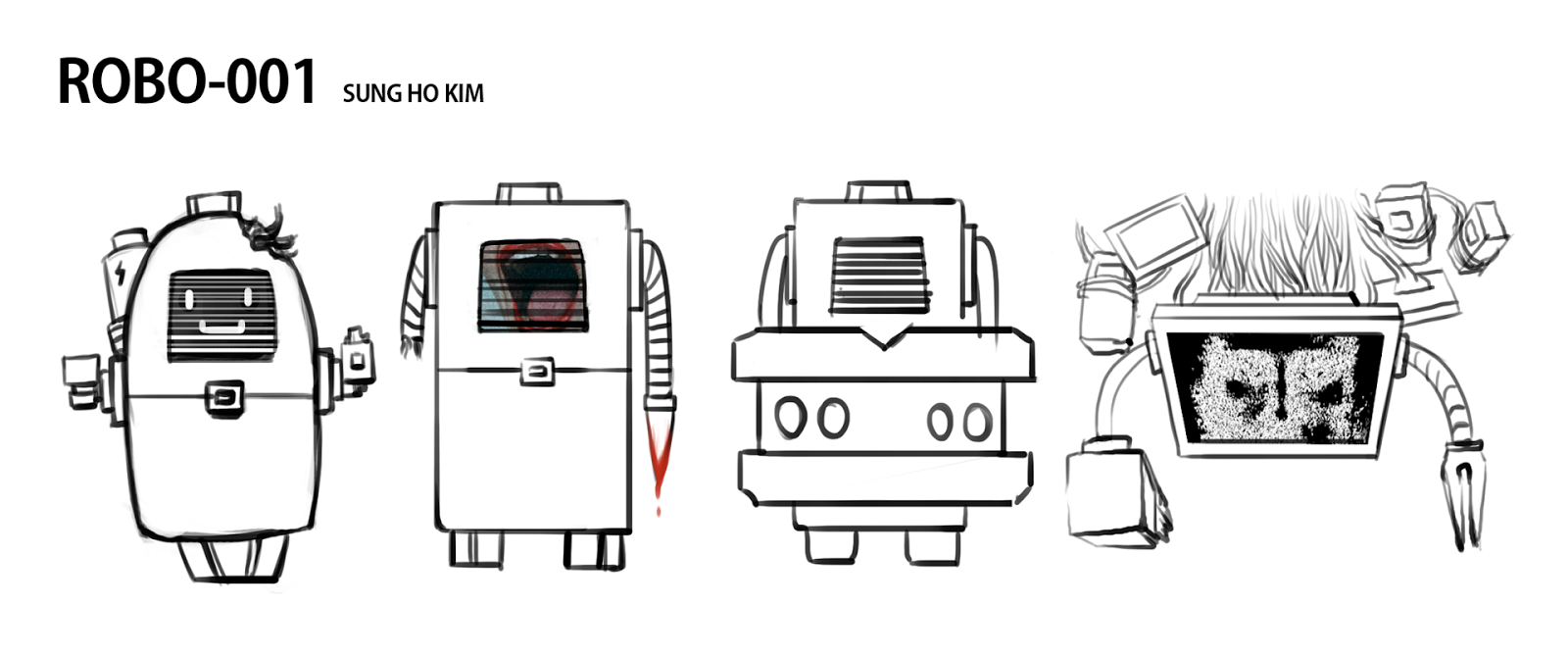
This is my top down view adventure game. Based on my concept, I created assets for characters and modular kits. Here are some of changes that I made from my concept.


     The first thing that I added is the additional area that goes into shooting area and horror area because I wanted to show that this is not a game that just shooting robots for escaping.


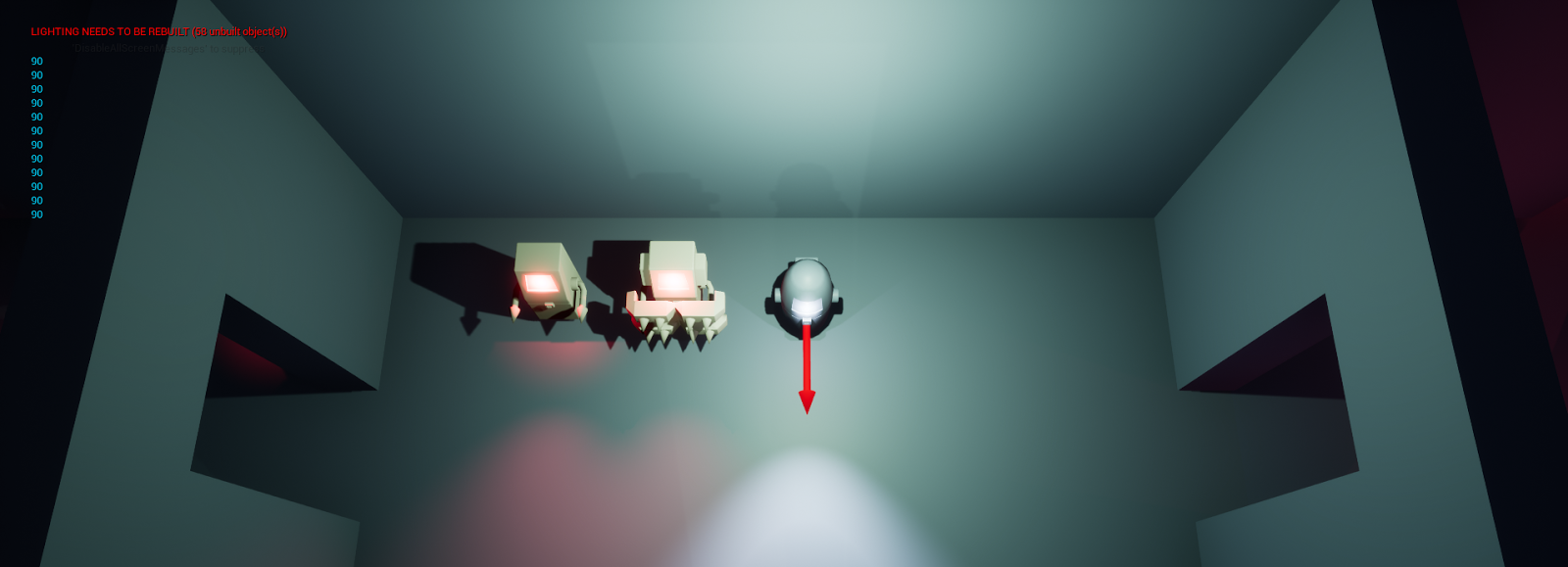
     In shooting area on the right side, I put the area with no light, so that I could introduce the flash lighting system better than other areas.


     For the horror area, I decided to focus on atmosphere of the space, so I decide to use environment setting and color more for this event.


      However, some of first areas are similar with my concept maps. For example, I made a cut scene that explains the situation, put a lot of blood, and ending.

Sunday, February 4, 2018

ROBO-001 adventure game idea


This is "ROBO-001" game idea for the adventure game. My game concept is inspired by "The Loneliest Robot in Great Britain the ", the game design concept is inspired by "Legend of Zelda : Oracle of Ages", and environment concept is inspired by "Warp(2012)" and "Resident Evil(2002)." "The Loneliest Robot in Great Britain" is a animation about a robot that has a emotion, but becomes crazy because of the bad memory.


Here is a small map for the game. Since I cannot make a game that is longer than 4 minute, I decided to make it simpler and shorter than Legend of Zelda. During the tutorial part (before getting key), the enemies do not move and play dead until players get a key on the right door. As soon as players get the key, the enemies start moving slowly toward to players and players can kill them without risk. The key also allows players to open the locked door. After the locked door, players find the another locked door that requires the keyitem (paralysis gun) on the right room. In the right room, the enemies come out that require the keyitem to kill them. After getting item, players can fix the locked door and go to next area. In the next area, the boss shows up and trying to kill players. Players cannot kill the boss until the last part, so players need to run away from boss. During the chase part, players face enemies and locked door again and players need to solve two puzzles without getting caught by the boss. In the final area when players interact with switch, the boss gets bugs and players can give damage to the boss with combination of paralysis gun and normal gun.  After the boss fight, the game ends.


References and Concept
Image result for resident evil 2002
Image result for warp game

Saturday, January 27, 2018

Spiky Block Programming Project

This is Spiky Block Project that we have to make spiky block and a simple platformer map for spiky blocks. We used Unreal Engine 4 blueprint to create the map.


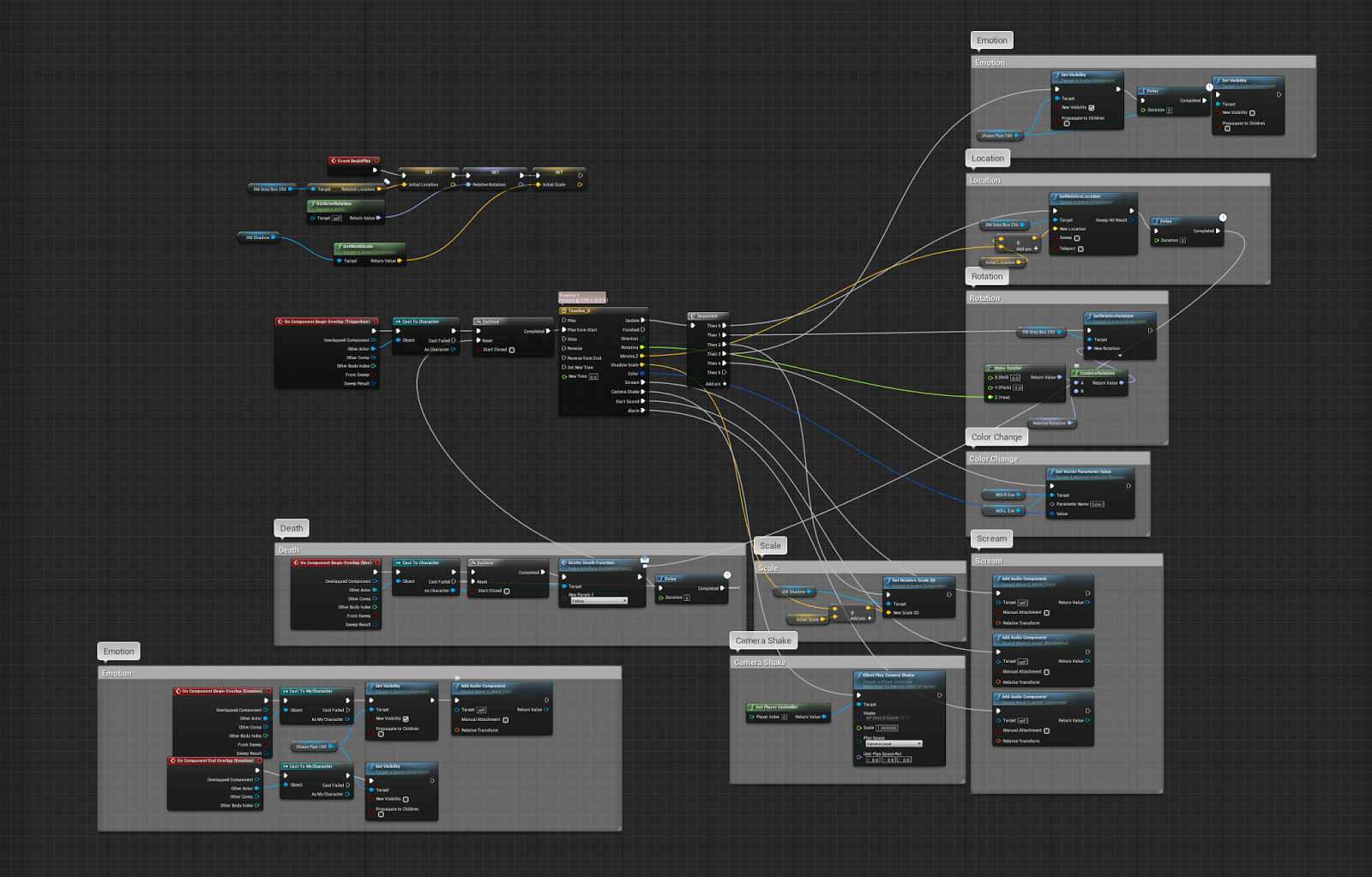
I mostly used timeline node to create its movement, emotion, and SFX. Here are some explaination for each group from timeline.

Emotion, Scream (SFX), Camera Shake - I used event track to cause effect. For example, the block face changes when event track hits the key.
Location, Scale (Shadow) - I used vector track to move the block. These also require vector variable. In Location part, the block used only Z-axis to make an effect like Super Mario spiky block.
Rotation - I used float track to change its angle. Rotation requires rotator variable.
Color Change - I used color track to change its color freely. For changing material, I need to create Dynamic Material instances which allows to change color by itself.


In the game, there are three types of spiky blocks. The first block is moving block that has Location, Scale, Emotion, Scream (SFX). In addition, when players are in the trigger box, the block shakes and make alarm music, and drops to the ground for attack. The block also changes its emotion (static mesh) when it goes down. When players are on the block, the block changes its emotion and make sound.


Another Block is Spinning block that has Moving block mechanism+ Rotation+ Color Change. When players are in the trigger box, the block changes its eye color, and goes down to the ground. It also spins when it goes down.


Third Block is moving block, but it has a teleport that brings players into the death trap. For this trap, I changed the death trigger box to teleport node.


Different from first two blocks, I decided to experience (going beyond) with the last block. For the last block, it moves everywhere which means it moves x,y,z axis at the same times. It also spins in 360 degrees. I also added random node to cause different SFX for crash. Because of that, the block move in crazy pattern.


I found a interesting fact that the moving block works well even if it is angled, but not for other blocks that has a rotation node. In the map, I rotate the moving blocks in x, y, z axis and it works well. However, spinning blocks change its angle when it is tilted, but these go to the same direction as moving blocks.

Platformer Game Design Project - The Trap


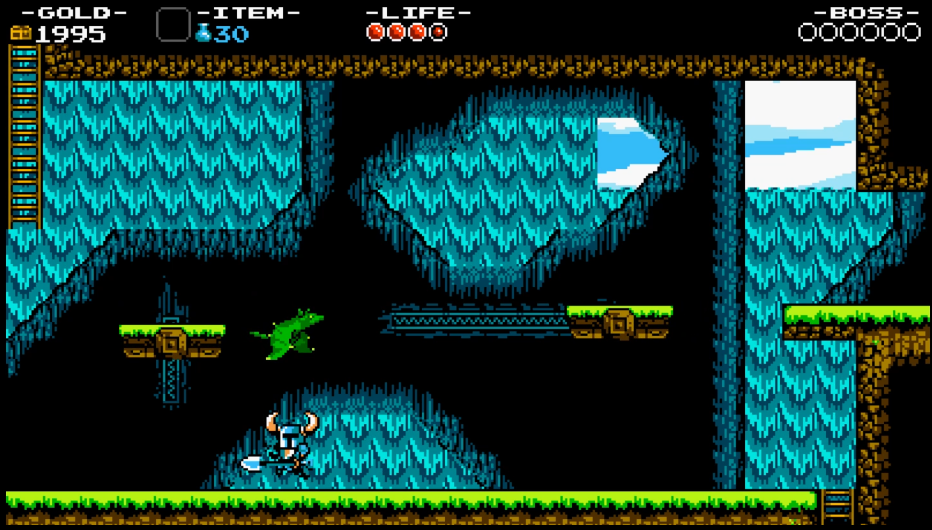
For this project, we had 2 weeks to finish a good platformer design for beginners. I decide to create the level based on Super Mario Bro (1985) and Shovel Knight (2014).


The first thing that I planed is the introduction for obstacles and mechanism. I researched Super Mario Bro and Shovel Knight 1 level and find that the games show new mechanism without a complicate pattern. So I decide to show new enemies and mechanisms that can be solved easily.


For example, I put a puzzle that can be passed through a moving platform. The first one can be solved without any risk. However, after the first moving platform, players are facing the moving platform with deadly spike. If players fail to jump on the moving platform, they lose life.


 Also, I put the challenge puzzle that is not require, but if players beat the challenge, they can get the prize (which are coins for this).


 Super Mario Bro level is simple because players do not have to go left to get to the goal. My level also does not require to go to left until the escape event. In the escape event, players need to go to left to avoid the moving spike coming from right side. I planned to make players to go all the maps again, but I deleted it because of the play time limit.


The last puzzle is mixed together. Players require to ride on a moving platform and dodge spike in the way. It is challenging, but when players go through all the obstacles and escape from the trap, the reward is waiting for players.

Wednesday, January 17, 2018

Platformer Game Design - The Trap


This is the small platformer game design. The goal of the game is to unlock the door that is located in the beginning of the map. The character is a treasure hunter who wants to find the treasure that is located at the end of the map. When the character find the treasure, the trap activates and the character must escape before the trap kills the character. At the end of the map, the character escapes from the cave.


References-
Concept Reference

Game Reference
Event Reference

Wednesday, January 10, 2018

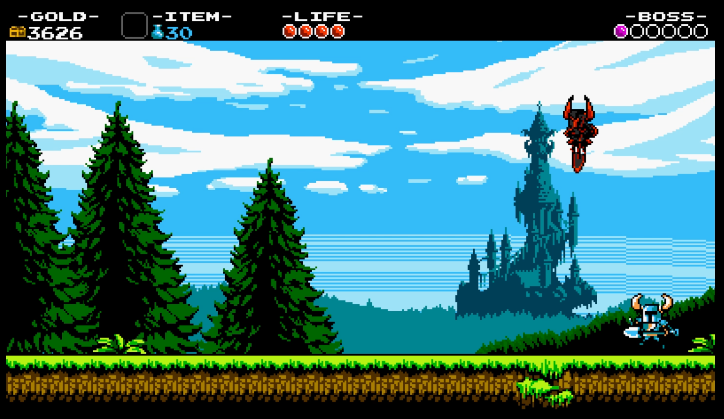
Shovel Knight Tutorial Level Analysis


Shovel Knight Game Tutorial Level Analysis


Shovel Knight has a good tutorial level that explains most mechanisms for the game. Here are some examples that guide players well without text.


Beginning Part

     Most games show complicate button tutorials or reading in the beginning, but Shovel Knight does not provide any button guide. It can be challenging, but Shovel Knight requires knowing only two buttons. Jump and Dig. Many people know about the Jump, but not about what the dig button can do. The game explains the dig button by putting a gold mine next to the starting point. Players are going to dig the gold mine since that is how the normal shovel works. Next to the gold mine, the bug slowly comes from the right side. People will try whether jump or dig to kill the bug. People might try to jump on it because that is how the popular platformer game "Super Mario Bros" works. However, the jump does not kill the bug and it hurts players, but the bug wouldn't hurt them a lot. When the players use the shovel, the bug dies in one hit and it drops golds. The game explains the Dig button by using only two objects.


Teaching New Skill

     After the beginning part, the game stops players with send boxes. Players already saw sandboxes and know that it can be destroyed by digging button. However, the sandboxes cannot be destroyed when players are on the sandboxes. When it happens, most games explain how to go through obstacles, but Shovel Knight lets players figure out how to go through the sandboxes. After a few seconds later, players figure out the new skill by pressing jump and down button and it can be destroyed by the new skill. Next to the sandboxes, players find the weak enemy and the goldmine. Like the beginning part, players would test the new skill to them and figure out that the new skill can kill the enemies, but not dig the goldmine. After this part, the game explains another function of the new skill by putting the puzzle that can be passed with the new skill.


Showing new object

     In the middle of the map, players can find the moving platform that hasn't seen in the game. In the first moving platform part, the gold encourages players to use moving platform and players do not get any penalty for falling. However, in the second moving platform part, the deadly spike is under the moving platform. Different from the first moving platform, falling from the moving platform gives the death penalty, so players need to be careful for this. Also, when players go through the map more, the game gives a hard puzzle that is mixed with two mechanisms.


Boss Fight

     Boss Fight for the tutorial level is noticeable than other games because of the tutorial boss, the black knight, who uses the same skill as players. The boss fight encourages players to use various skills.